
Run your whole company in one place
People, payroll, leave, attendance, chat, docs, boards and meetings in one workspace. Q, the built-in AI, handles the busywork. You give the final OK.
Made for growing teams of 10 to 200 people
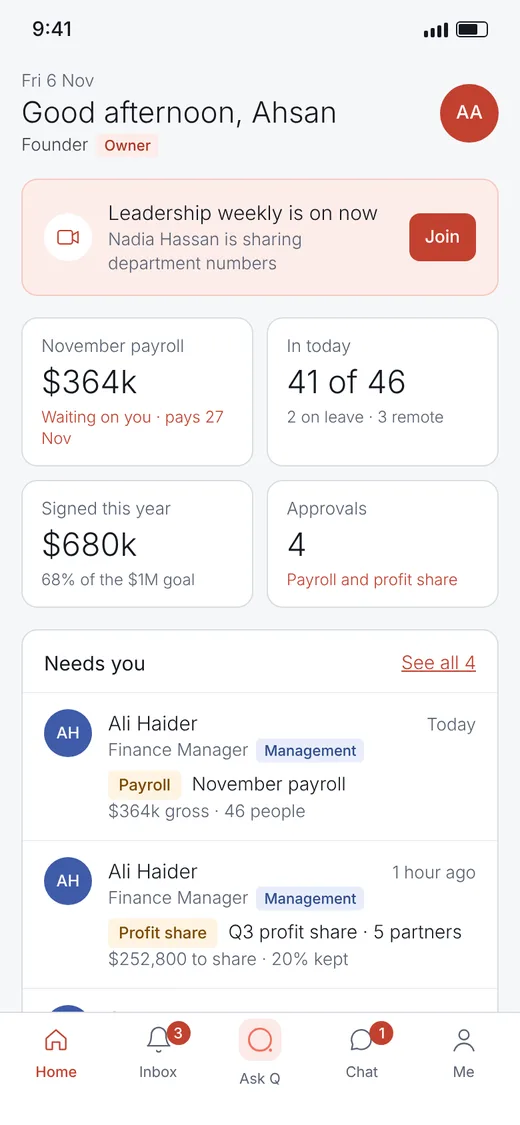
Stop paying for and switching between
- Chat app
- Task tracker
- Docs
- Video calls
- Payroll sheet
- Time tracker
- HR folder
 One Quadrya
Everything your team does, connected
A message can become a ticket. A ticket can sit inside a doc. Hours flow into payroll. Nothing gets copied between tools, because there's only one.
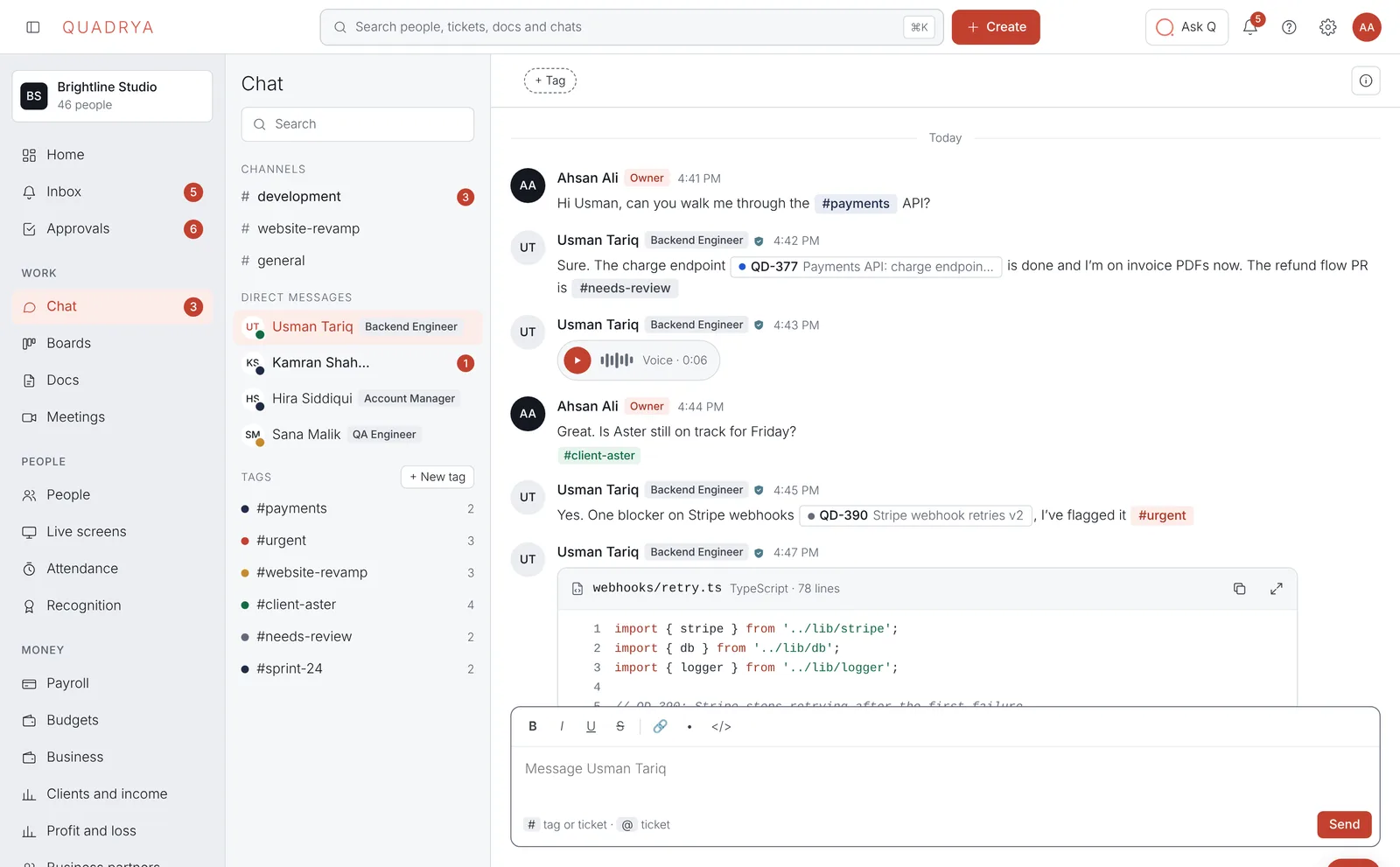
Chat that turns into work
Channels, direct messages and threads, with Q one click away.
- Reply in threads, react, format and share code
- Turn any message into a ticket in one click
- Ask Q to summarise a long thread or draft a reply
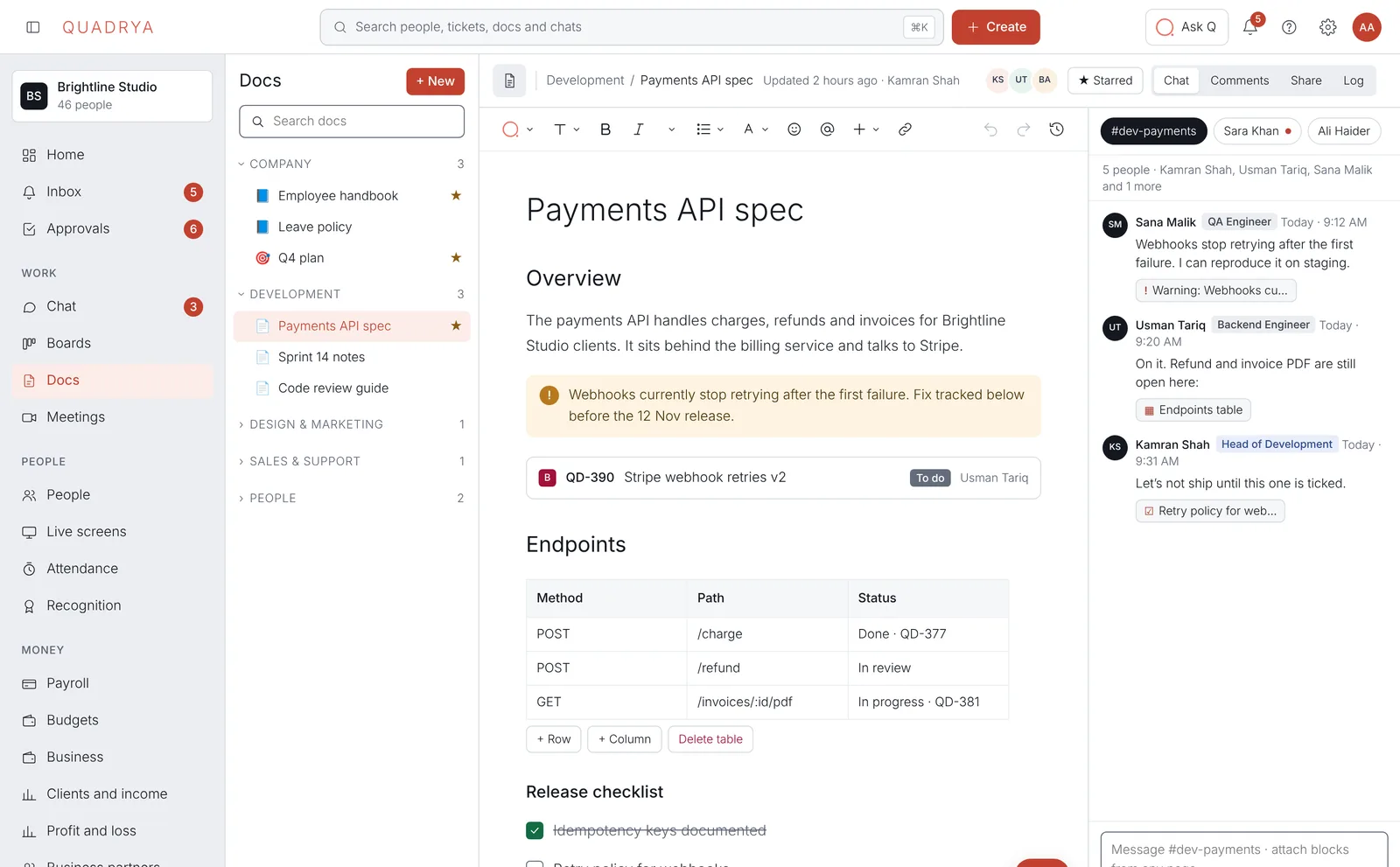
Docs that do more than text
Write specs, policies and notes with blocks that stay live.
- Tables, checklists, tickets, forms and video in any page
- Discuss a doc in the chat beside it, pointing at exact blocks
- A full log of who changed what
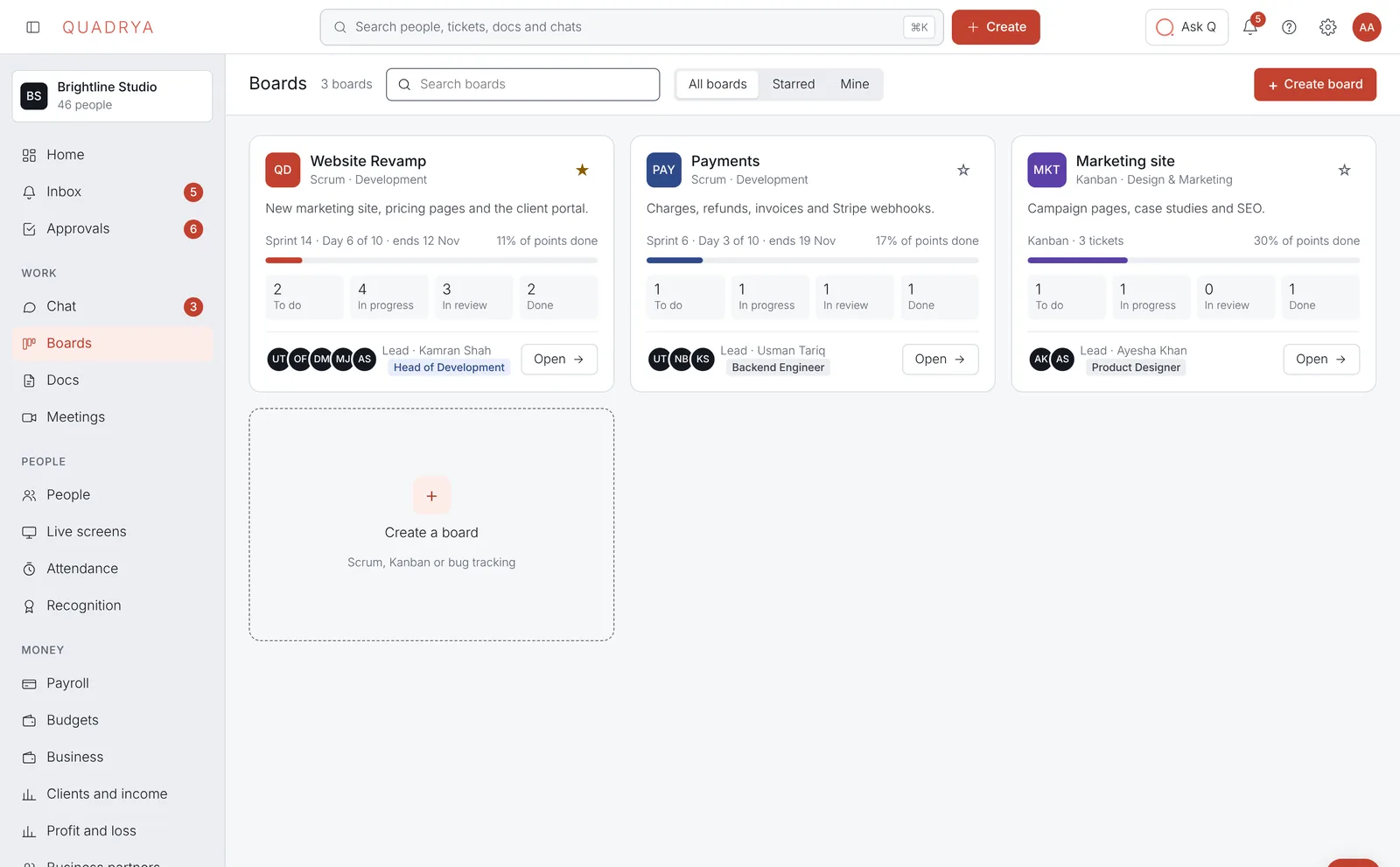
Boards for every team
Scrum or Kanban, for development, design, sales and support.
- Sprints, backlog and tickets with owners and due dates
- Late work shows up on the owner's dashboard by itself
- Hours logged on tickets count towards each project
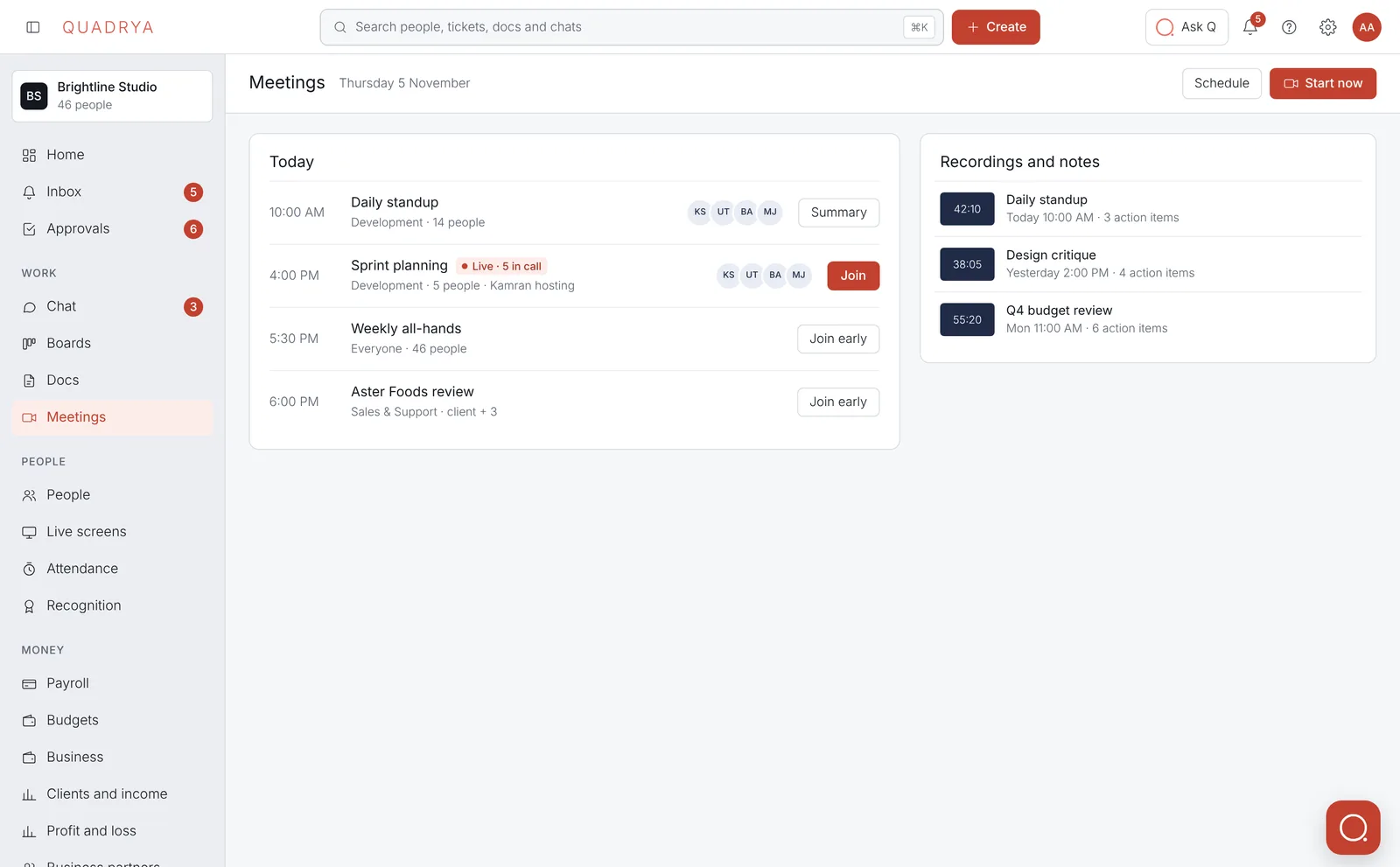
Meetings without another app
Video calls with everything a team needs, built in.
- Screen sharing, whiteboard, polls and reactions
- Backgrounds, layouts and live captions
- Q writes the summary and the action items
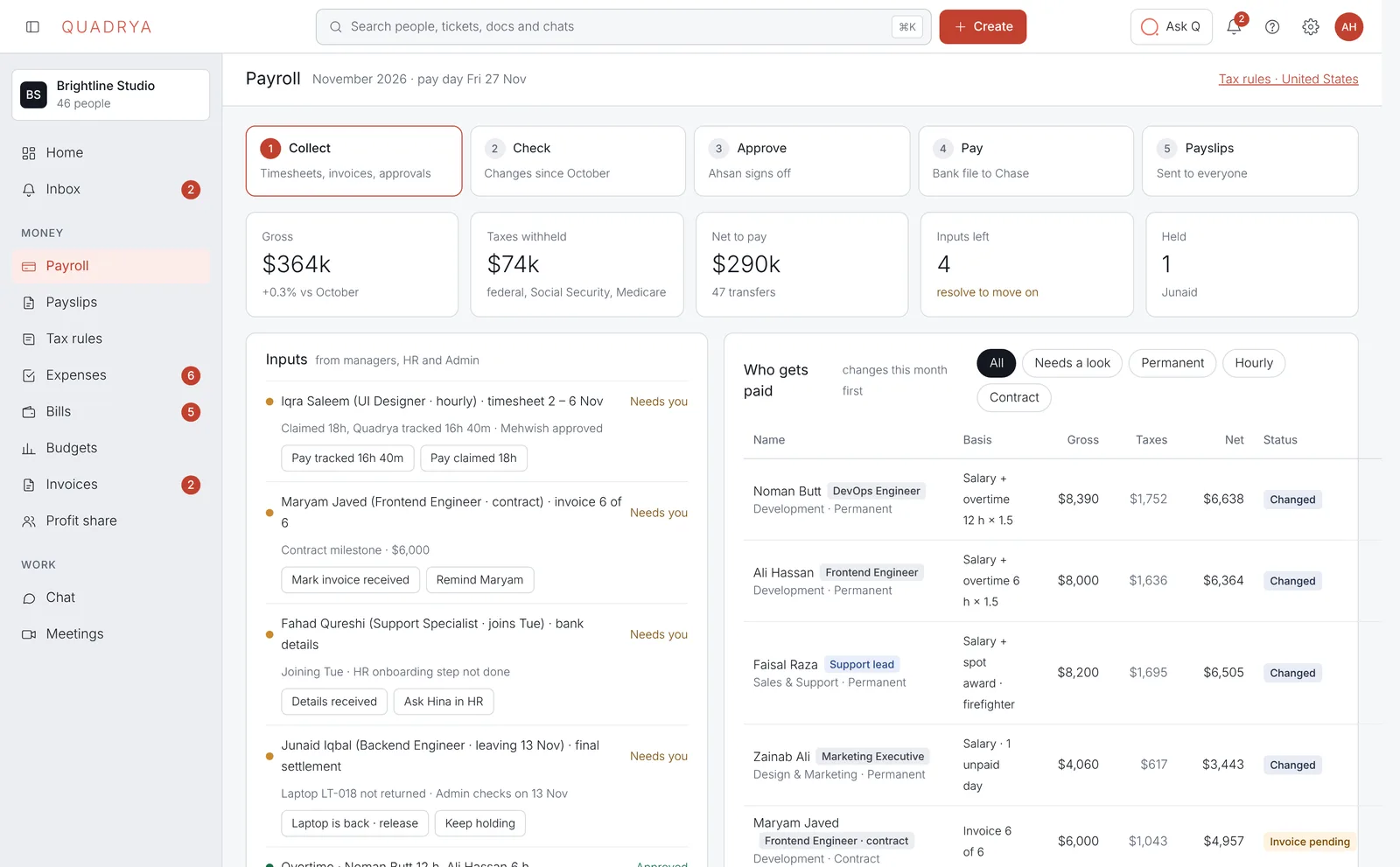
Payroll in rupees, done in minutes
Salaries, overtime, deductions and tax, from the hours your team already logs.
- Payslips in PKR that each person sees privately
- Only the owner, HR and Finance see salaries
- Q prepares the run, a person approves it
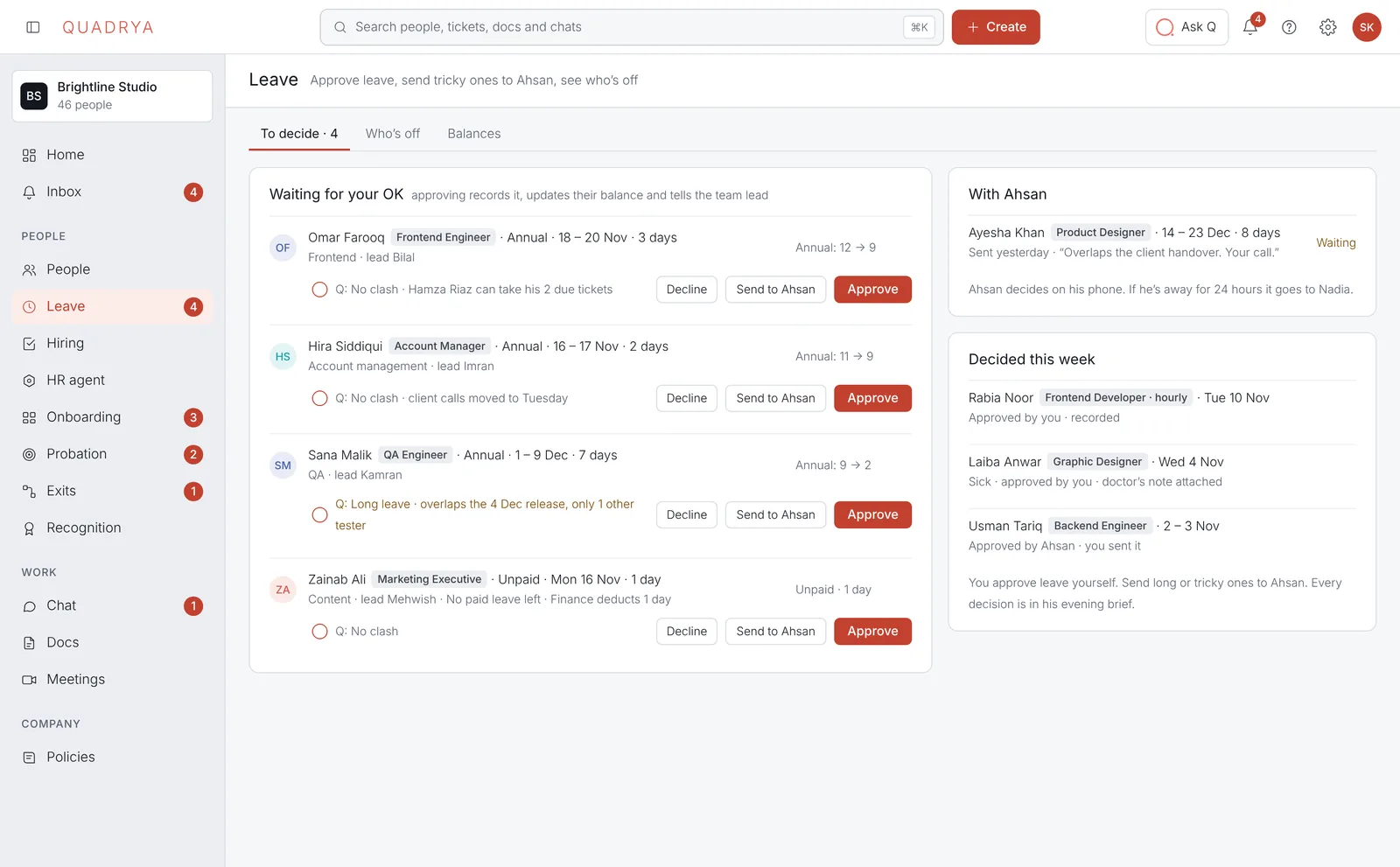
Leave and attendance, handled
Clock-ins, shifts, breaks and time off in one place.
- Requests go to the team lead, then HR, automatically
- Balances update the moment leave is approved
- Late or missing clock-ins get a friendly nudge first
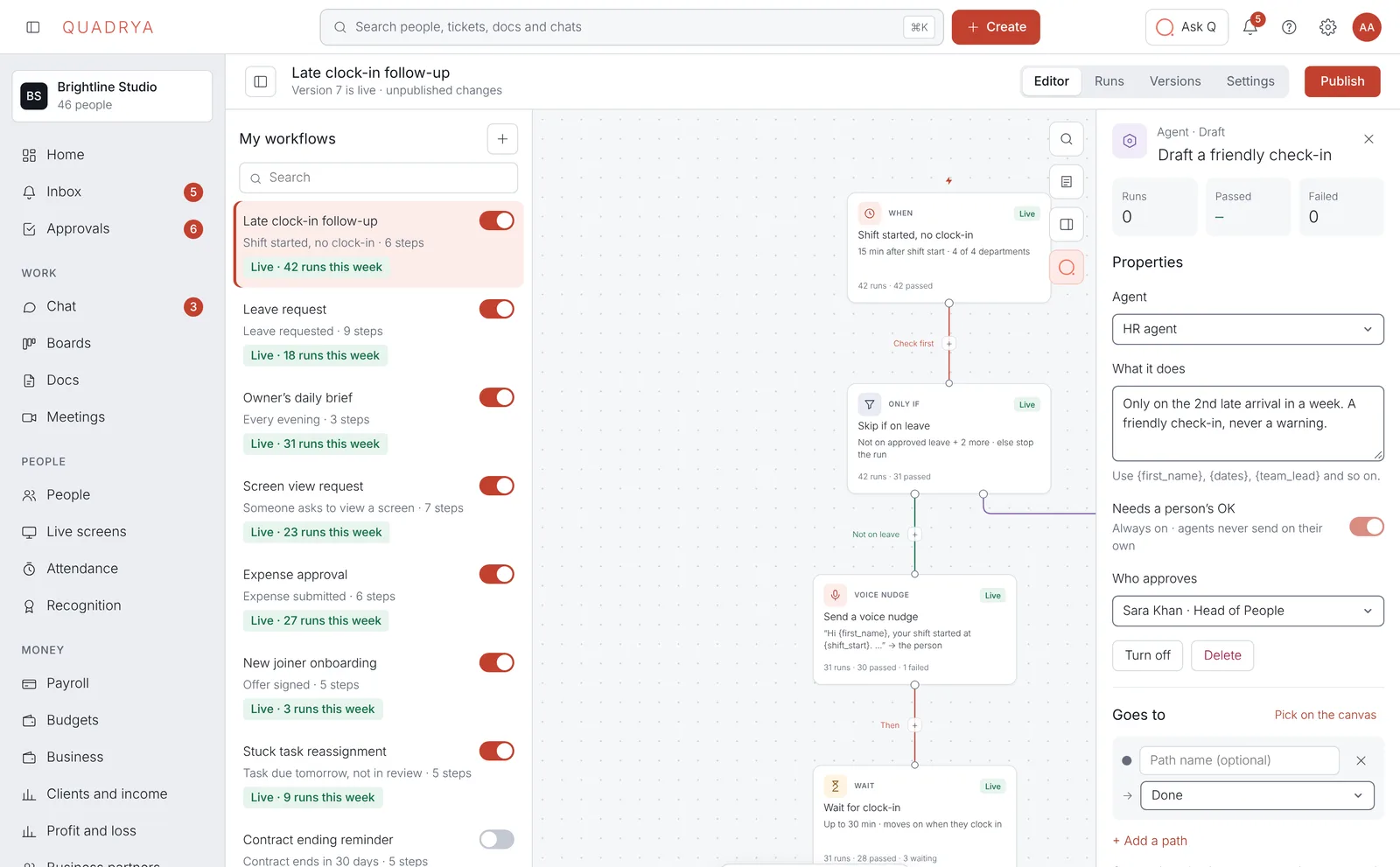
Workflows you describe in words
Tell Q what should happen and it builds the steps. You check them before anything goes live.
- Approvals, reminders, onboarding and follow-ups
- Ready-made templates for common HR and finance work
- See every run, and what each step did
An AI that does the work, not just the talking
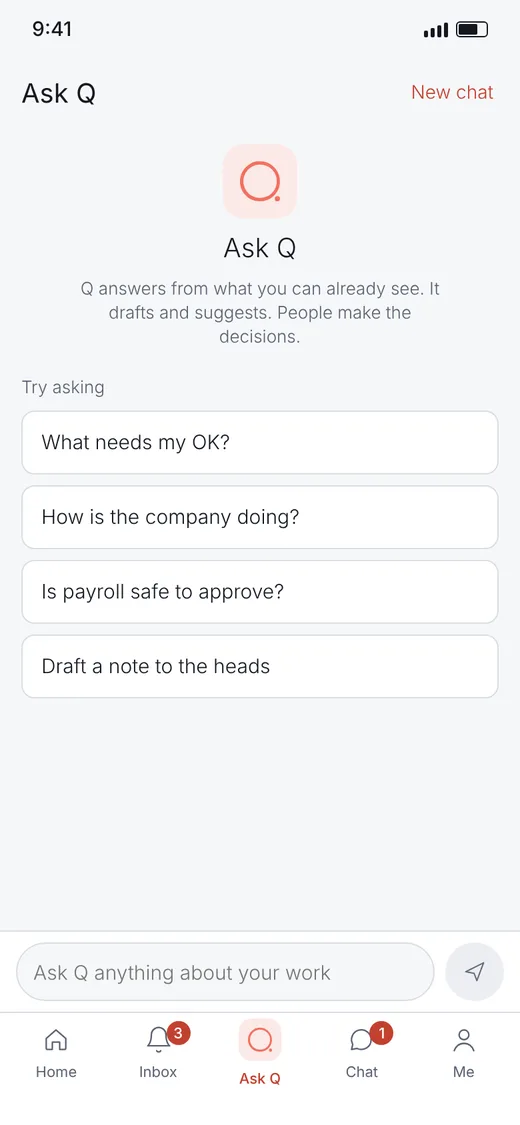
Most small companies have no HR person. The owner ends up doing leave, payroll and hiring at night. Q and its agents take that on, and always ask a person before anything that matters.
One login for the whole company
People and HR
Profiles, org chart, contracts, onboarding and exits, with every role seeing just what it should.
Attendance and shifts
Clock in from laptop or phone. Shifts, breaks and overtime add up on their own.
Screens, with consent
Ask to see someone's screen when you need to. They say yes or no, every single time.
Clients and profit
See which client and which project actually makes money, from hours to invoices.
Recognition
Fair, visible scores and tiers that reward good work, with the reasons shown.
One approvals inbox
Leave, expenses, overtime and hiring land in one list, with the full route shown.
Three rules Quadrya never breaks
No silent watching
Nobody sees a screen without the person agreeing, every time. Every view is logged.
Salaries stay need-to-know
Only the owner, HR and Finance see pay. Everyone sees their own payslips, and nobody else's.
AI suggests, people approve
Q and its agents prepare the work. Money, hiring and pay always need a person's OK.
Built for how companies in Pakistan work
Global tools treat local payroll, rupees and our work week as an afterthought. Quadrya starts from them.
Up and running in an afternoon
Set up your company
Add departments, teams and your rules for leave, shifts and approvals. Q suggests sensible defaults.
Invite your people
Everyone gets a link, fills in their own profile and sees only what their role allows.
Let Q take the busywork
Approvals, reminders and payroll start running. You check in, and say yes.
Be one of the first companies on Quadrya
We're opening Quadrya to a small group of companies first, and setting it up with each of them personally.
Request early access Write to hello@quadrya.com · we reply within a day